
- Buy Crypto
- Markets
 Futures
- Spot
- Copy Trade
- Earn
- More
How to Enable Two-Factor Authentication (2FA) on WEEX Exchange: A Step-by-Step Guide

To enhance the security of your account, enabling Two-Factor Authentication (2FA) on WEEX is essential. This additional layer of protection ensures that only you can access your account, providing extra security during transactions and withdrawals.
Why 2FA is Important on WEEX
2FA adds a second level of security by requiring a code generated on your mobile device (via an authenticator app like Google Authenticator or Authy) in addition to your password. It prevents unauthorized access, even if your password is compromised.
Step-by-Step Guide to Setting Up 2FA on WEEX
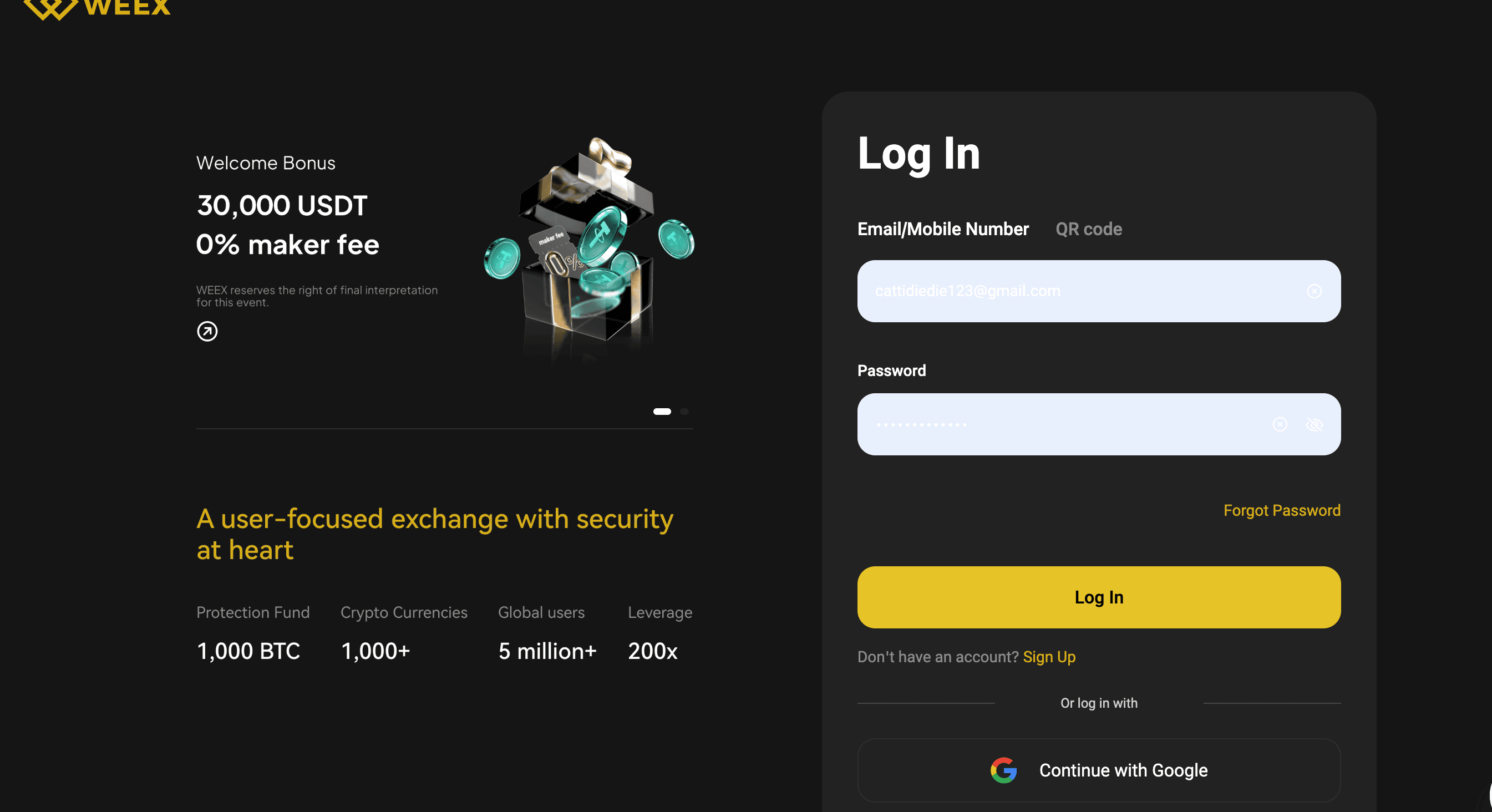
Step 1: Log in to Your WEEX Account
Visit the official WEEX Exchange website and log in to your account using your credentials. Ensure you’re on the official website to avoid phishing scams.
Step 2: Access Account Settings
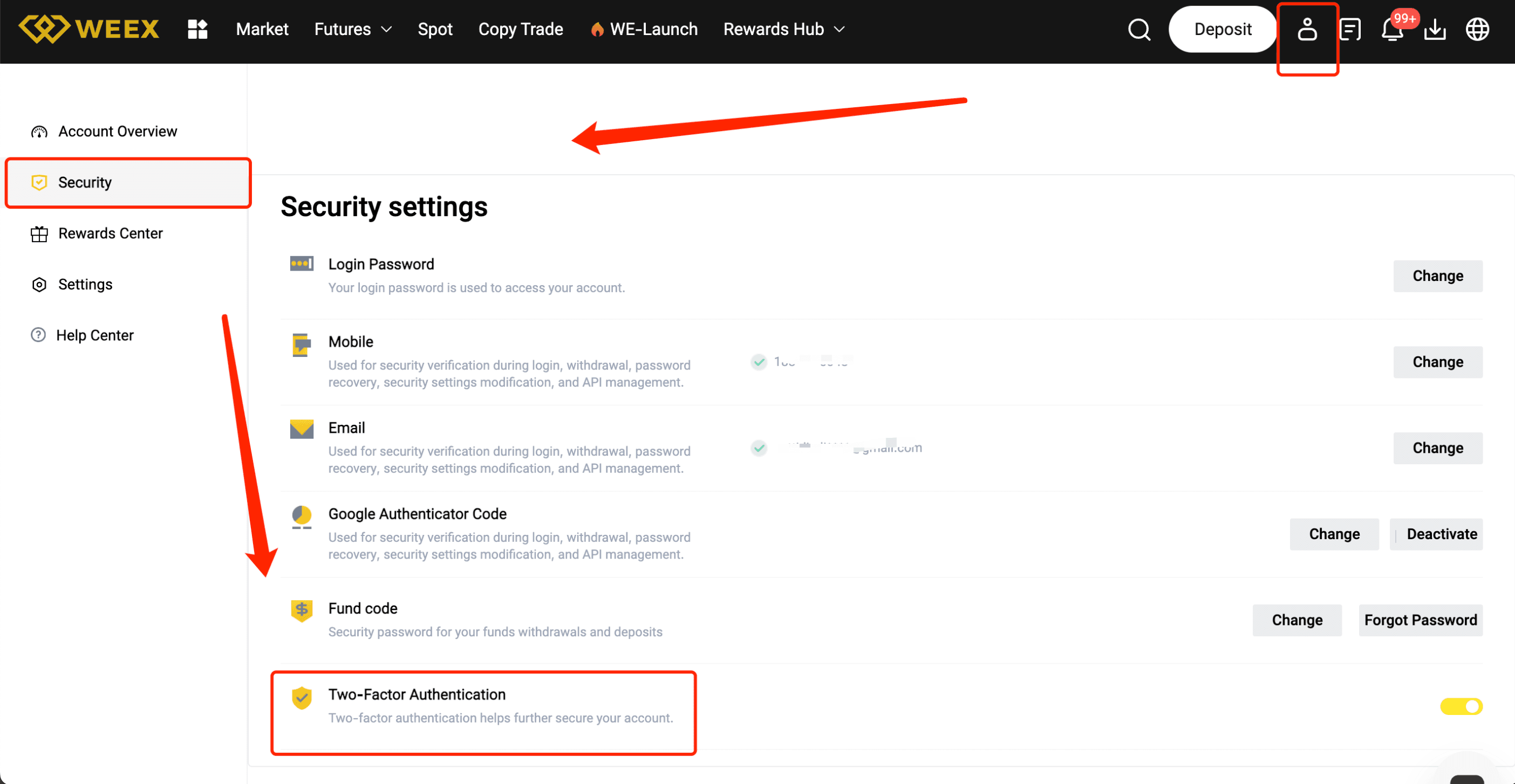
Once logged in, navigate to your profile settings by clicking your avatar or username in the top right corner. Select “Security Settings” or “2FA Settings” from the dropdown menu.
Step 3: Choose Your 2FA Method
You will be presented with several options for enabling 2FA. The most common method is to use an authenticator app. Choose “Enable 2FA via App” (e.g., Google Authenticator or Authy).
Step 4: Scan the QR Code
Open your chosen authenticator app and select “Add Account” or “Scan QR Code.” Use the app to scan the QR code displayed on the WEEX website. This will link your account to the app.
Step 5: Enter the Verification Code
Once the QR code is scanned, the authenticator app will generate a 6-digit code. Enter this code into the WEEX website to verify and complete the setup.
Step 6: Backup Codes
After completing the 2FA setup, WEEX will provide backup codes. Write these codes down and store them in a secure place, as they can be used to access your account if you lose access to your authenticator app.
Step 7: Confirm and Finalize
Double-check the details, then click on “Confirm” or “Activate.” Your 2FA will now be enabled, adding an extra layer of security to your account.
Pro Tips for a Smooth 2FA Setup
- Use a reliable authenticator app like Google Authenticator or Authy.
- Save your backup codes securely in case you lose access to your device.
- Ensure your mobile device is secure by using a strong PIN or password.
- Don’t share your 2FA codes with anyone—it's for your protection.
Benefits of Completing 2FA on WEEX
- Enhanced Security: Protect your account from unauthorized access with an additional verification layer.
- Higher Trust: Increase trust in your account and activities by showing that you've taken steps to secure your funds.
- Safer Trading: With 2FA enabled, your trades and withdrawals are protected from unauthorized actions.
Conclusion
Enabling 2FA on WEEX is a simple yet powerful way to secure your account and protect your funds. By following this guide, you ensure your account is safeguarded with an added layer of security. Don’t wait—enable 2FA today for peace of mind while trading!
You may also like

Introducing Fabric Foundation: Complete Guide to $ROBO and Airdrop Opportunities
The Fabric Foundation is building a safe, open, and globally beneficial future for AI and robotics as intelligent machines move from software into the real world. In essence, it works to ensure that advanced machines expand human possibilities, stay aligned with human values and intentions, and deliver widespread benefits to people everywhere, rather than concentrating power or posing risks. Learn its tokenomics, ecosystem impact, and how to claim free tokens in the WEEX $50,000 Fabric Foundation airdrop before Mar. 06, 2026!

What is Sentio (ST) Coin?
In an exciting development for crypto enthusiasts, Sentio (ST) has been newly listed on WEEX, with ST/USDT trading…
What is Jellybean (JELLYBEAN) Coin?
The recently launched Jellybean (JELLYBEAN) token has made its debut on the WEEX exchange, allowing users to participate…

JELLYBEAN USDT World Premiere on WEEX: Jellybean (JELLYBEAN) Coin Listing Live
WEEX Exchange is thrilled to launch the world premiere listing of Jellybean (JELLYBEAN) Coin, bringing fresh opportunities for…
WEEX Debuts Sentio (ST) Coin: ST USDT Trading Live
WEEX Exchange is thrilled to announce the world premiere listing of Sentio (ST) Coin, opening the ST USDT…

JELLYBEAN Token Price Prediction & Forecasts for March 2026: Could This Meme Coin Surge 50% on Solana Hype?
JELLYBEAN Token, freshly listed on exchanges like WEEX, has burst onto the scene as a playful Solana-based meme…

Sentio (ST) Coin Price Prediction & Forecasts for February 2026: Could This New Listing Surge 50% Amid Web3 Data Boom?
Sentio (ST) Coin has just hit the market with its listing on WEEX Exchange today, February 27, 2026,…

What Is US Reserve for Natural Resources (USRNR) Coin?
What is USRNR? Discover US Reserve for Natural Resources, a Solana-based micro-cap token with fixed supply. Learn about its price, risks, and how to trade on WEEX.

MSFT USDT Perpetual Contract Listing on WEEX Futures
WEEX lists Microsoft (MSFT) USDT Perpetual Contracts. Trade Microsoft (MSFT) Coin futures on Feb 26, 2026, at 02:00 AM. Join WEEX for low trading fees.

WEEX Futures New Listing: CRCL USDT Perpetual Contract
WEEX lists Circle Internet Group (CRCL) and CRCL USDT perpetual contracts. Trade Circle Internet Group (CRCL) Coin with high leverage on WEEX Exchange today.

SIREN USDT Listing: WEEX Launches Siren Coin Futures
The SIREN USDT perpetual contract is now live on WEEX with 20x leverage. Join a top-ranked exchange for seamless futures trading.
ROBO USDT World Premiere Listing: Fabric (ROBO) Coin Debuts on WEEX
WEEX Exchange is thrilled to announce the world premiere listing of Fabric Protocol (ROBO) Coin, opening ROBO USDT…

What is Fabric Protocol (ROBO) Coin?
The Fabric Protocol (ROBO) coin has made its debut on WEEX, opening up new trading opportunities on the…

Is Algos One AI (AIAO) Coin a Good Investment?
What is Algos One AI (AIAO) Coin? Learn how the AI-powered trading platform works and buy AIAO on WEEX with zero fees. Step-by-step guide for beginners.

Introducing Seeker: Complete Guide to $SKR and Airdrop Opportunities
Solana Mobile's Seeker is pioneering an open, decentralized mobile ecosystem to disrupt dominant centralized players. Powered by its innovative TEEPIN (Trusted Execution Environment Platform Infrastructure Network) architecture and community-driven governance, it directly tackles key frustrations like app store gatekeeping, limited developer autonomy, and barriers to crypto-native applications. Learn its tokenomics, ecosystem impact, and how to claim free tokens in the WEEX $50,000 Seeker airdrop before Mar. 03, 2026!

RIVER Crypto Price Prediction 2026: Can RIVER Crypto Hit $100?
What is RIVER crypto? Get the latest RIVER price analysis, $100 target reality check, and step-by-step guide to buy RIVER on WEEX exchange.

How to Buy XRP 2026: Complete Guide for Beginners
Learn what is XRP and how to buy XRP on WEEX in 2026. Low fees, instant execution, and secure storage. Start trading XRP/USDT today.
What is Mac mini (MACMINI) Coin?
Exciting news for savvy crypto enthusiasts: the Mac mini (MACMINI) token has just been listed on WEEX, with…
Introducing Fabric Foundation: Complete Guide to $ROBO and Airdrop Opportunities
The Fabric Foundation is building a safe, open, and globally beneficial future for AI and robotics as intelligent machines move from software into the real world. In essence, it works to ensure that advanced machines expand human possibilities, stay aligned with human values and intentions, and deliver widespread benefits to people everywhere, rather than concentrating power or posing risks. Learn its tokenomics, ecosystem impact, and how to claim free tokens in the WEEX $50,000 Fabric Foundation airdrop before Mar. 06, 2026!
What is Sentio (ST) Coin?
In an exciting development for crypto enthusiasts, Sentio (ST) has been newly listed on WEEX, with ST/USDT trading…
What is Jellybean (JELLYBEAN) Coin?
The recently launched Jellybean (JELLYBEAN) token has made its debut on the WEEX exchange, allowing users to participate…
JELLYBEAN USDT World Premiere on WEEX: Jellybean (JELLYBEAN) Coin Listing Live
WEEX Exchange is thrilled to launch the world premiere listing of Jellybean (JELLYBEAN) Coin, bringing fresh opportunities for…
WEEX Debuts Sentio (ST) Coin: ST USDT Trading Live
WEEX Exchange is thrilled to announce the world premiere listing of Sentio (ST) Coin, opening the ST USDT…
JELLYBEAN Token Price Prediction & Forecasts for March 2026: Could This Meme Coin Surge 50% on Solana Hype?
JELLYBEAN Token, freshly listed on exchanges like WEEX, has burst onto the scene as a playful Solana-based meme…


 App
App